Quick answer

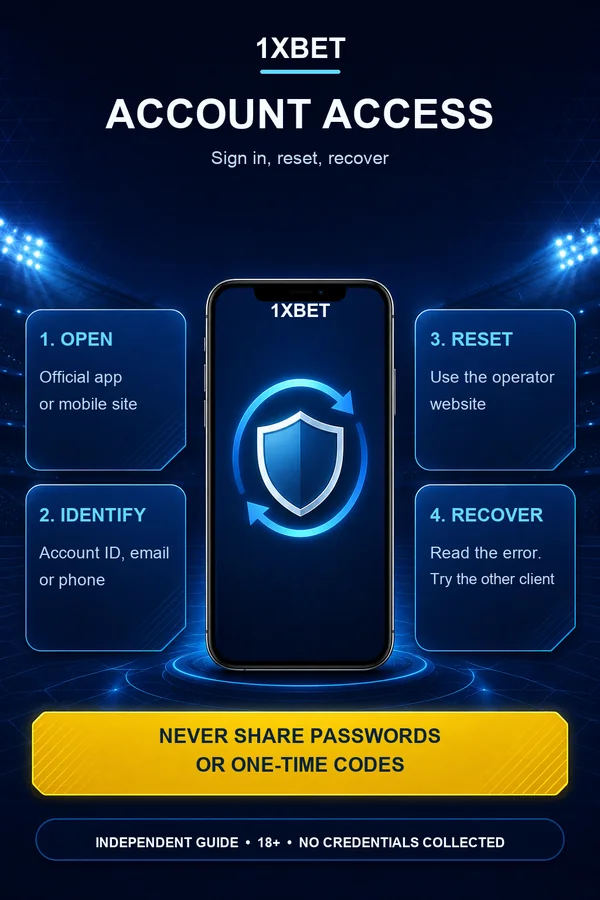
To sign in to 1xBet, open the official app or mobile site. Enter your account ID, email or phone number, plus your password. Forgot your password? Use the reset option on the 1xBet website. Follow the steps sent to your registered email or phone. If login fails, check the exact error first. Try the same account on another client. Then reset your password if needed. Never enter credentials on this guide or any third-party page. Use the operator's own app or site. If recovery fails, contact 1xBet support. 18+ only; gamble responsibly.

One account, two clients

1xBet login on Android and iOS

On Android, open the installed 1xBet app and find the sign-in area. Enter your account ID, email or phone number, then your password. On iOS, open the app from the App Store and use the same credentials. The mobile site at the official lite address works when the app is unavailable. App and site availability varies by country. Treat any regional restriction as unknown, not promised.

  • Open the official app or mobile site. Do not use a page that asks for your password outside the operator's own flow.
  • Enter your registered identifier and current password.
  • If the app is outdated, update over the existing installation instead of uninstalling.
  • If login fails after an update, try the same account on the other client before changing anything.
1xBet access details and their role
ItemRole
Account ID, email or phoneIdentifies the existing account
Current passwordConfirms access to that account
Password resetStarts recovery through the operator
App cacheCan cause a login loop after an update
Google Play ProtectChecks the Android file for harmful behavior
Recovery order

1xBet login errors and recovery order

Start with the exact error message. It decides the next step. A wrong-password message points to a reset. A login loop or blank screen points to the client or connection. Try the same account on the other client, such as the mobile site instead of the app, before changing any settings. This order keeps low-risk checks first. It also avoids losing saved login state.

Safe recovery order for 1xBet login problems
StepActionWhy this order
1Note the exact error messageThe message decides whether to reset, wait or contact support
2Check the identifier and password without sharing themMost failures are a wrong identifier or an old password
3Try the same account on the other clientSeparates an app problem from an account problem
4Reset a forgotten password through the operatorRestores access without a new account
5Clear cache only after reading the warningData clearing can remove saved login state
6Contact operator support when recovery failsSupport handles locks and verification
Measured app facts

1xBet app details for secure account access

Use the measured Android build served by this guide when you update or reinstall. Check the package and SHA-256 before opening the file. For iOS, use the App Store listing available in your region; the measured Côte d’Ivoire listing is not proof of availability in every country.

Measured app facts for account access
ItemVerified value
Android versionprod-v257.0.74
Android packageorg.xbet.client1
Android file size47,119,379 bytes
Android SHA-2561936c31823c9c48a0c854e79b09c77fdfb26f53672bc5b63f073ba3a0d773fb5
iOS listing (Côte d’Ivoire)Version 258.0; iOS 15.0+; 1XCorp N.V.
iOS release date2026-10-06T06:14:01Z
Questions

1xBet questions and answers

Open the official 1xBet app or mobile site. Enter the account ID, email or phone number registered to your account, plus your current password. Existing users sign in with current credentials on the app or mobile site. If the password is not accepted, use the password-reset option on the 1xBet website. Do not create a new account. This guide is independent and never asks for your password or one-time code.

Use the password-reset option on the 1xBet website. Follow the steps sent to the email address or phone number registered to the account. Check spam or filtered folders if the message does not appear. Set a new unique password and sign in on the app or mobile site. If the registered contact is lost, contact operator support. Do not make repeated reset requests or a duplicate account.

Try the email addresses and phone numbers you own one at a time on the same official client. Stop after a small number of attempts to avoid a lock. The exact attempt limit is not confirmed here. If none work, contact 1xBet support through the operator's own channels. Describe the account without sending passwords, one-time codes, full card numbers or identity documents to any guide.

Note the exact error message first. Try the same account on the other client, such as the mobile site instead of the app, before changing settings. Clear the app cache only after reading the warning. Clearing data or uninstalling can remove saved login state. If the account is locked or a reset does not arrive, contact operator support. Do not create a second account to bypass a lock.

No. This independent guide never collects or requests passwords, one-time codes, full card details or identity documents. It is not an official 1xBet account page. Sign in only through the operator's own app or mobile site. Treat unexpected emails, chats and forms as possible phishing. Keep device security checks on, and review recent activity after you sign in.

Download APK